

Lost in the Digital Pile-Up? You’re Not Alone

If your “My Documents” folder looks like a digital junk drawer, it’s time for a cleanup that saves hours—and frustration.
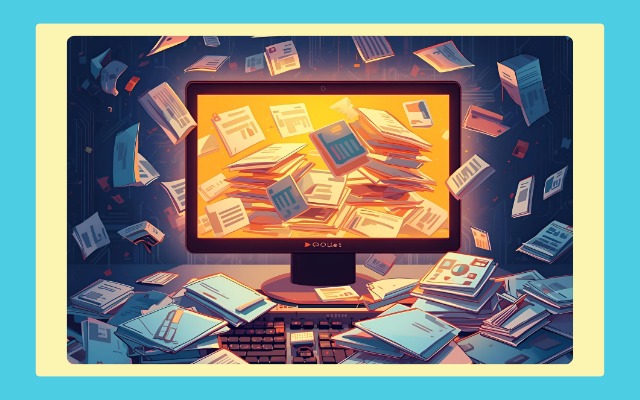
When working with clients, there have been a few times during a work session, the client needs to get a document or a file. They begin to search everywhere, email, hard drive, and even that random stack of papers on their desk.
After a few minutes of silence and sighs, I finally ask, “How do you organize your digital files?”
The answer? “Oh, I just keep them all in My Documents,” or “I set up folders, but there are so many I forgot which one I put that document in.”
Friends… that is too much chaos. Thousands of files, years of projects, all tossed together like confetti in a junk drawer. It’s basically the digital version of opening the basement door and tossing papers down the stairs.
And here’s the thing, I get it. I’ve done it too. Between client work, homeschooling, and business building, file organization can slip right off the priority list. But when you’re wasting time searching for what you already created, that’s time stolen from growth work (and your sanity).
So here are my 3 go-to tips to save yourself from digital overwhelm:
1. Think in categories, not chaos.
Before you start dragging files into random folders, think in buckets—Clients, Business, and Personal. That’s it. Keep it simple. When you need something later, you won’t be asking “when did I make that?”, you’ll be asking “what was it about?” and know exactly where to look.
2. Subfolders are your best friends.
Within each main folder, create subfolders that actually make sense. For clients, that might mean a folder for each name, with subfolders for newsletters, graphics, or contracts. For Business, consider creating separate folders for invoices and marketing materials. Trust me, it saves hours later.
3. Name your files like you mean it.
“Document1_final_v2” is not your friend. Give each file a clear, meaningful name. Something like “Smith_Newsletter_Jan2025_Draft” will save you endless scrolling and searching.
According to Newsweek, the average person spends nearly an hour a day searching for things they can’t find. I can’t help you locate your missing phone charger, but I can help you stop losing your digital stuff.
When your files are organized into clear categories, subfolders, and meaningful names, you spend less time searching and more time doing the work that actually matters. It’s one of those small systems that pays you back daily, less stress, more focus, and a smoother workflow. Take an hour this week to give your digital world a quick tidy-up. Your future self (and your clients) will thank you for it.
Enjoyed this article? Subscribe to my newsletter for fresh insights every two weeks, plus exclusive bonus content only for subscribers. Don’t miss out—join us today!


Comments